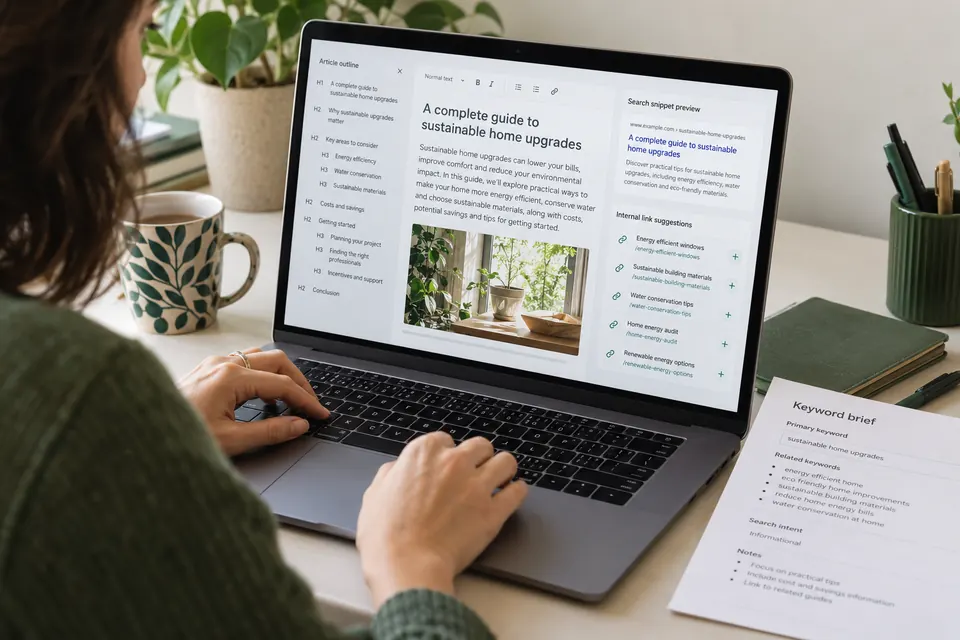

A useful article should not be a dead end
You publish a helpful blog. Someone reads it, understands the problem and then leaves because the next step is unclear. Another visitor opens a service page but cannot find the guide that answers their concern. The information exists, but the journey between it is missing.
Internal linking connects pages within your own website. For a service business, its practical job is to help a reader move from a question to a deeper explanation, a relevant service or a sensible contact step.
Quick answer: group pages around a genuine customer problem, connect related articles in context and link to the service that can help with implementation. Add a useful link back from an existing page when you publish something new. This guide shows how to do that without turning every paragraph into a sales pitch.
Start with the next question your customer asks
Imagine a business owner searching for reasons their ads generate clicks but few enquiries. Their next question might be whether the landing page matches the ad. After that, they may need to understand what counts as a qualified lead.
Those questions form a natural reading sequence. Our guide to clicks without leads diagnoses the first problem. Our lead quality guide explains the measurement question. Landing page design covers a related implementation need.
The links make sense because each destination answers a different question. Start there, rather than searching every page for an exact keyword you can turn into a link.
1. List the pages you already have
Before creating another article, make a small inventory. Include the page URL, its main reader, the question it answers, its purpose and the service it supports. Separate commercial pages from educational guides so you can see where they help each other.
A spreadsheet is enough to begin. A row might describe a Google Ads service page for business owners comparing providers. Another might describe a troubleshooting article for someone unsure why their campaign is underperforming.
If two pages answer essentially the same question, review their scope before adding more links. You may need one stronger resource, or two pages with clearer differences. Extra internal links cannot resolve confusing content by themselves.
2. Give each topic group a clear centre
A topic cluster is a group of related pages organised around a broader subject. A central guide can explain the subject, while supporting articles answer specific questions. A commercial service page can connect that educational material to the work your business offers.
Keep those purposes clear. A service page should explain scope, process and buying considerations. A guide should deliver the explanation promised by its title. They can support the same topic without repeating the same text.
For a small agency website, three focused groups are a practical starting point: search visibility, paid acquisition and lead quality. This is DMB’s planning recommendation, not a required structure or a formula that guarantees rankings.
A simple cluster example for a service business
Illustrative planning example: a business offers Google Ads management, landing pages and reporting. Its commercial hub explains what Google Ads management includes. Supporting articles cover weak enquiries, page-message mismatch and qualification metrics.
- Service to guide: the service page links to a troubleshooting article when explaining campaign reviews.
- Guide to guide: the troubleshooting article links to lead-quality measurement when explaining why form volume is incomplete evidence.
- Guide to service: the measurement article links to marketing analytics and reporting when discussing implementation.
A reader can learn without buying. A reader who needs help can also understand which service is relevant.
3. Write anchor text that explains the destination
Anchor text is the clickable wording. Compare “click here” with “how to measure lead quality”. The second phrase gives the reader a clearer idea of what will open.
Google’s link guidance recommends descriptive, concise wording that fits both the current page and the destination. It also recommends normal anchor elements with valid addresses so links can be discovered reliably. Read Google’s link best practices.
Our practical check: read the sentence aloud. Does the link feel like a useful part of the explanation? If it sounds as though a long search phrase was forced into ordinary language, simplify it. Do not reuse the same vague anchor for destinations that answer different questions.
4. Place links where the extra explanation becomes useful
A link belongs near the point where a reader needs it. If a paragraph explains that an accessible page is not necessarily indexed, a link to our indexing diagnosis guide can provide the next check.
You do not need a link in every paragraph. Nor should you send readers elsewhere before answering the question they arrived with. Give a useful explanation first, then offer depth where it helps.
Context also matters for service links. Explain what help involves before presenting the destination. For example, link to B2B lead generation services when discussing acquisition and qualification responsibilities, rather than placing that link in an unrelated technical paragraph.
5. Link from an existing page to the new guide
Publishing is only half the task. Find an existing article or service page where the new guide answers a genuine follow-up question. Add a short explanation and a link there too.
For example, a regional SEO article can point to an indexing checklist when discussing pages that Google has not fetched. The checklist can point back to planning useful international service pages when explaining why a regional URL needs its own purpose.
This creates a useful connection in both directions. It does not mean that every page in a group must link to every other page. Choose the relationship that makes sense for the reader.
6. Check the link after publication
Open the source page and use the link yourself. Confirm that it reaches the intended page, works on a phone and does not unexpectedly open a login screen, error page or unrelated destination.
Then check the technical details with your developer or audit tool: the response, redirect journey, rendered link and intended canonical address. If the URL changed, update the source link to the current destination where appropriate.
Keep useful internal editorial links as normal links. Review any plugin that applies link attributes in bulk so it does not accidentally treat your own pages as external advertising. An internal link audit should identify actual problems, not chase a perfect score without context.
How to judge whether the journey is improving
Start with a usability question: can someone find the next explanation without searching the menu again? Ask a colleague who did not write the article to follow the journey and describe where they expected to go.
Where your analytics and privacy choices allow it, review movement from articles to relevant services and the quality of resulting enquiries. Compare similar periods and record other changes, such as campaigns, pricing or page redesigns.
Do not claim that one link caused a ranking increase simply because the timing matches. Good internal linking improves organisation and navigation; search performance also depends on the page, competition and many other factors.
Your next practical step
Choose one service and three related articles. Write down the question each page answers. Add only the connections that help a reader continue, then test every destination. Expand to another topic group after reviewing the first.
For a public starting check, use our free website audit. For a broader implementation discussion, explore DMB’s SEO services. Neither an audit score nor a link plan guarantees indexing, rankings or leads.
Editorial note: this original guide was prepared with AI assistance on 27 October 2026. Examples describe an illustrative planning approach, not measured client results. The featured image is an AI-generated editorial scene, not a real audit interface.