
Visibility is a clue, not a finished result
You open Search Console and see that impressions are rising. That sounds positive until you notice that clicks are barely moving. It is easy to respond by rewriting every title or adding more keywords. Neither action is useful until you understand which searches produced the visibility.
Start by asking whether your pages appeared for people who needed what those pages offered. This guide gives you a focused review you can repeat. It does not offer a universal click-through-rate target or a guaranteed fix for every search result.
1. Understand the three numbers together
Search Console reports impressions, clicks and click-through rate. CTR is clicks divided by impressions. Average position provides additional context, but a site-wide average can hide very different searches and pages. These definitions come from Google’s performance-report overview.
A result with no clicks is not automatically a technical failure. A page may be appearing far below the strongest results, for a broad research query or for an unrelated meaning of your brand initials. Separate those cases before choosing an action.
Use the same search type and comparable periods when reviewing a change. Write down the filters so someone else can reproduce the report.
2. Start with one page rather than the whole website
Choose an important service page that has enough impressions to inspect meaningfully. Open the Search results performance report, apply that page as a filter and review its queries. Then look at country and device where those differences matter.
Google’s performance-report task guide explains filtering by query and checking the pages shown for it. Use that relationship to confirm that the intended URL is appearing.
Do not interpret a tiny sample as a stable trend. A page with a few impressions can move between zero and several clicks without proving that a title edit worked.
3. Sort queries by the question behind them
Create a small review sheet with the query, page, impressions, clicks and your assessment of intent. Add a suggested action and a reason. Keep the original numbers separate from your interpretation.
One group may contain people comparing providers. Another may contain students learning a concept. A third may contain brand searches. A fourth may describe a service you do not offer. These groups should not all receive the same page or headline.
Search visibility for an irrelevant query is not an instruction to add that phrase to your website. Keep commercial content focused on the work you actually provide.
A worked example for a service website
Imagine a landing-page design page appearing for three searches: landing page design services, free landing page template and how to write a landing page headline. This is an illustrative planning example, not an export from a client account.
The first search may fit a service page. The template search may not fit unless you genuinely provide a free template. The headline question may be better answered by an educational guide that links to the service when implementation help becomes relevant.
Rewriting the service title to include all three would confuse the offer. A better decision is to clarify the service page and create a separate useful guide only if the subject belongs in your content plan.
4. Review the title against the page promise
A title should tell someone what the page delivers. If a result promises a comparison but opens a generic agency page, the mismatch begins before the visitor arrives. Read the title, main heading and opening paragraph together.
Google recommends descriptive, concise titles and warns against repeated keyword variations. It can also generate a different title link from the page and other signals. Review its title-link guidance before assuming the title tag is fully under your control.
A practical service title might explain the service and its buying context. Do not add best, number one or a location claim unless the page can honestly support it. Clear scope is more useful than a stronger adjective.
5. Check what the page actually explains
After the title, review whether the page answers the questions a serious buyer would ask. What is included? Who is it suitable for? What needs to be supplied? What happens after contact? What evidence can a reader inspect?
Add missing information because it helps the decision, not simply to make the page longer. A clear process, a realistic example and transparent limitations can make the offer easier to assess.
If visitors arrive but do not enquire, that becomes a different investigation. Our traffic without enquiries guide covers the next step. CTR and conversion rate describe different parts of the journey.
6. Compare like with like across markets
A country filter can reveal that impressions are coming from a market with a different service need or language. A device filter can reveal a different mix of searches. Review those differences before changing the entire website.
Serving a country remotely does not mean you should claim an office there. Explain delivery, availability and relevant service scope honestly. Our international service-page guide discusses when a regional page has a useful purpose.
If several near-identical location pages compete for the same broad searches, review their differences. Creating another city page is not a substitute for understanding why the existing page is appearing.
7. Connect the right explanation to the commercial page
Sometimes the commercial page needs a supporting article rather than another block of general advice. Add a contextual link where the reader needs a deeper answer. The article should also make the relevant service easy to find.
For example, a technical SEO service can link to a guide explaining why a URL remains discovered but not indexed. That guide can point back to the service for implementation help without withholding its explanation.
Use our internal linking guide to plan these connections. Avoid linking every mention of a keyword or filling the page with unrelated services.
8. Run a small, documented review
Choose one page and record the problem you are trying to solve. Save the current title, description, key queries and report filters. Make a coherent change based on the evidence, then record the publication date.
Allow for recrawling, processing and enough comparable activity before drawing a conclusion. Search demand, competitors and result layouts can change during the same period. A higher CTR after an edit is an observation, not proof that the edit caused it.
Review clicks and enquiry quality together where suitable measurement is available. More visitors from irrelevant searches can make a chart look better while creating more work for the sales team.
What should you do this week?
Pick the service page that matters most commercially. Identify its main query group, confirm the page fits that intent and fix the clearest mismatch. Review one smaller supporting question that deserves an internal link or a separate original guide.
Keep a short decision log: observation, change, date and next review. That record is more useful than repeatedly editing everything whenever the daily chart looks disappointing.
Explore DMB’s SEO services for a page and intent review, or marketing reporting support to connect the numbers to business decisions. No title or content revision guarantees clicks, indexing or rankings.
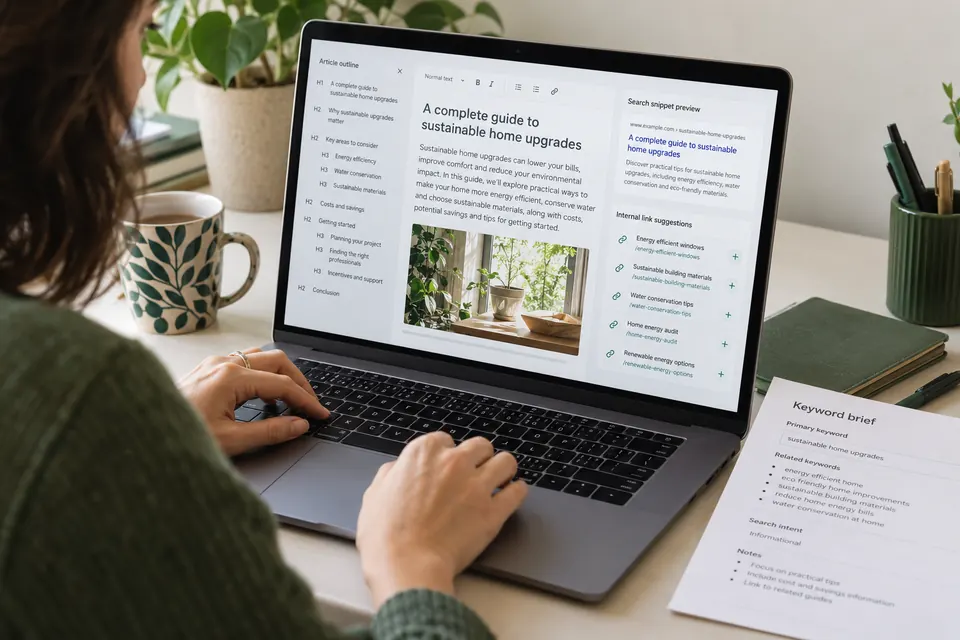
Editorial note: this original guide was prepared with AI assistance on 27 October 2026. The query example is illustrative. The featured image is an AI-generated editorial scene, not a live search-results screenshot.